The Device Settings That Keep Seniors Protected: A Senior Guide to CIS Benchmarks”

CIS Benchmarks are expert-recommended settings that make your devices safer. They work like choosing the best lock for your home, except the protections are already built into your phone or computer.

AQ’S Corner makes these settings simple, approachable, and senior-friendly.

1. Update Regularly

Updates fix problems and strengthen security.

  • Turn on automatic updates
  • Accept updates when prompted

Each update makes your device safer at no extra cost.


2. Tighten Your Privacy Settings

Control what your device shares with the outside world.

  • Limit who can see your posts
  • Turn off extra location sharing
  • Block unknown callers

It’s the digital version of closing the blinds for privacy.


3. Limit Who Has Access

Only trusted people and apps should have access to your information.

  • Don’t reuse passwords
  • Check app permissions
  • Never share your unlock code

Small limits create strong protection.


4. Lock Your Devices and Apps

Make locking part of your routine.

Always lock:

  • Your phone
  • Your computer
  • Sensitive apps

This simple habit is one of the strongest safeguards you can use. CIS is about using settings you already have, not buying new tools. With a few adjustments, your devices work harder to protect you.

See related articles:

Writer’s Note

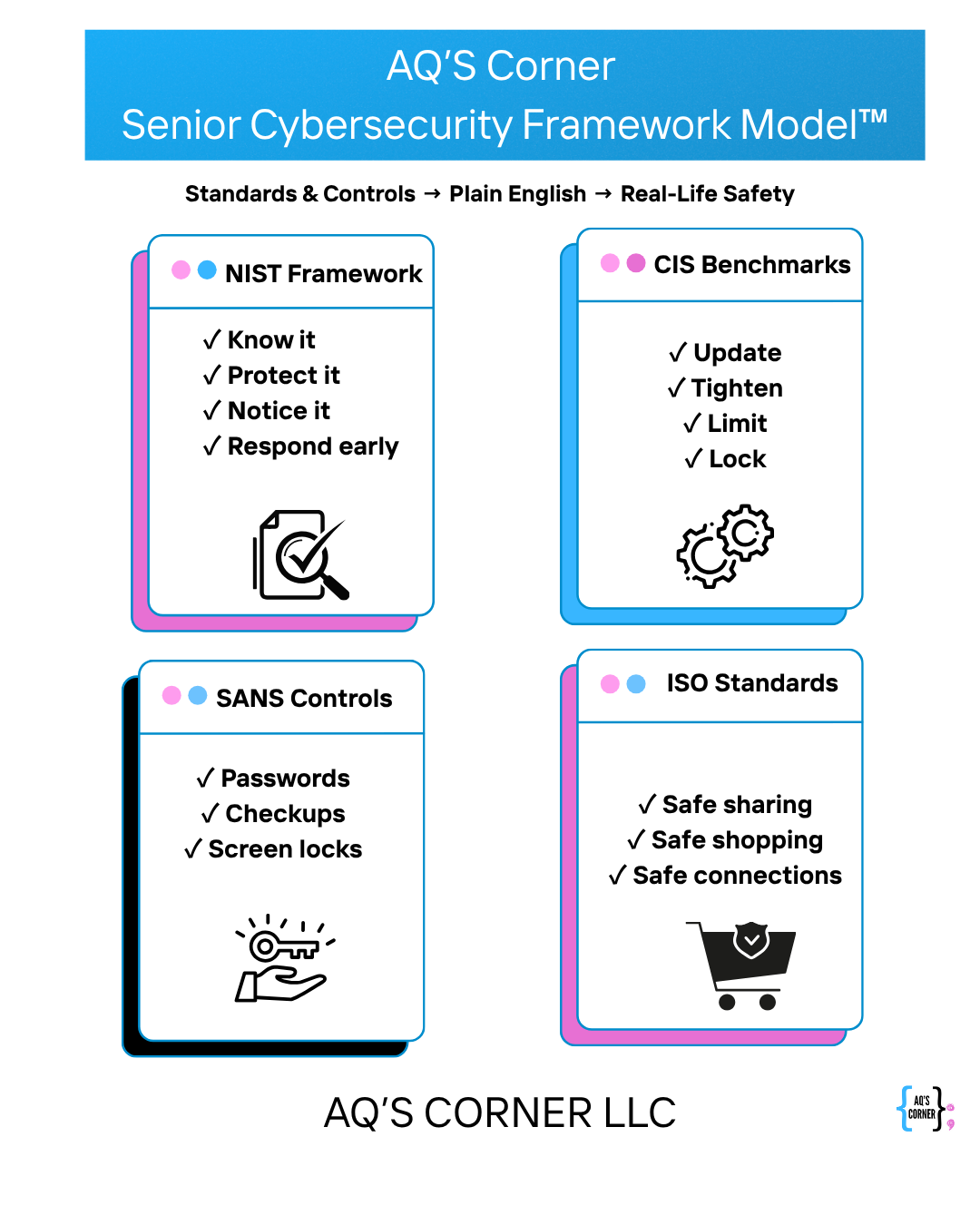
Below is the simplified senior-focused framework developed by AQ’S Corner to guide this entire series. This model blends national cybersecurity standards into clear, practical steps seniors can use confidently. Explore the full framework here:
https://aqscorner.com/2025/11/20/aqs-corner-senior-cybersecurity-framework-model/
3 responses to “The Device Settings That Keep Seniors Protected: A Senior Guide to CIS Benchmarks””

  1. The Everyday Habits That Help Seniors Stay Safe: A Senior Guide to SANS Controls – AQ'S Corner Avatar

    […] The Four Steps That Keep Seniors Safe Online: A Senior Guide to the NIST Framework The Device Settings That Keep Seniors Protected: A Senior Guide to CIS Benchmarks” […]

    Like

  2. The Smart Online Choices Every Senior Should Know: A Senior Guide to ISO Standards – AQ'S Corner Avatar

    […] Four Steps That Keep Seniors Safe Online: A Senior Guide to the NIST Framework The Device Settings That Keep Seniors Protected: A Senior Guide to CIS Benchmarks” The Everyday Habits That Help Seniors Stay Safe: A Senior Guide to […]

    Like

Leave a reply to The Four Steps That Keep Seniors Safe Online: A Senior Guide to the NIST Framework – AQ'S Corner Cancel reply

I’m Aqueelah

Cybersecurity isn’t just my profession, it’s a passion I share with the most important person in my life: my daughter. As I grow in this ever-evolving field, I see it through both a professional lens and a mother’s eyes, understanding the critical need to protect our digital spaces for future generations.


Read about my mission to combat job scams

Scammers are targeting job seekers with increasing sophistication. I developed a Zero Trust-based framework: Project TRUSThire and submitted it to NIST to help protect digital hiring. Learn what this means for cybersecurity and community safety.

Read the Article

🎧 Listen to the CyberMom Plus One Podcast!

Disclaimer:

“I bring my background in cybersecurity and motherhood to everything I share, offering insights grounded in real experience and professional expertise. The information provided is for general educational purposes only and is not a substitute for personalized legal, technical, or consulting advice.
AQ’s Corner LLC and its affiliates assume no liability for actions or decisions taken based on this content. Please evaluate your own circumstances and consult a qualified professional before making decisions related to cybersecurity, compliance, or digital safety.”
.wp-block-site-title a { color: #3ABAEB !important; transition: color 0.3s ease; } .wp-block-site-title a:hover { color: #E967B8 !important; }