The Four Steps That Keep Seniors Safe Online: A Senior Guide to the NIST Framework

The NIST Framework is a national set of safety steps used by organizations everywhere. It focuses on knowing what you have, protecting it, noticing when something seems wrong, and responding early.

At AQ’S Corner, we simplify this for seniors so it feels natural and easy to follow.


1. Know What You Use

Before you can protect anything, you must know what belongs to you.
List your devices and main accounts:

  • Phone
  • Tablet
  • Laptop
  • Email
  • Banking or benefits accounts

This is your digital home inventory.


2. Protect What Matters

These simple actions act like locks on your digital doors:

  • Strong passwords
  • Screen locks
  • Automatic updates
  • Antivirus (if needed)

They take minutes but add major protection.


3. Notice When Something Looks Off

Your instincts have kept you safe for decades.
Trust them online, too.

Watch for:

  • Unexpected pop-ups
  • Strange emails
  • Calls asking for information
  • Login alerts you didn’t make

If something feels “off,” it usually is.


4. Respond Early

Quick action stops most problems.

If something worries you:

  • Stop
  • Don’t click
  • Call a family member or Digital Buddy
  • Change your password
  • Turn off the device if needed

Early steps prevent long-term trouble. You already have strong instincts. The NIST Framework simply helps you use them online; calmly, confidently, and clearly.

See related articles:

Writer’s Note:
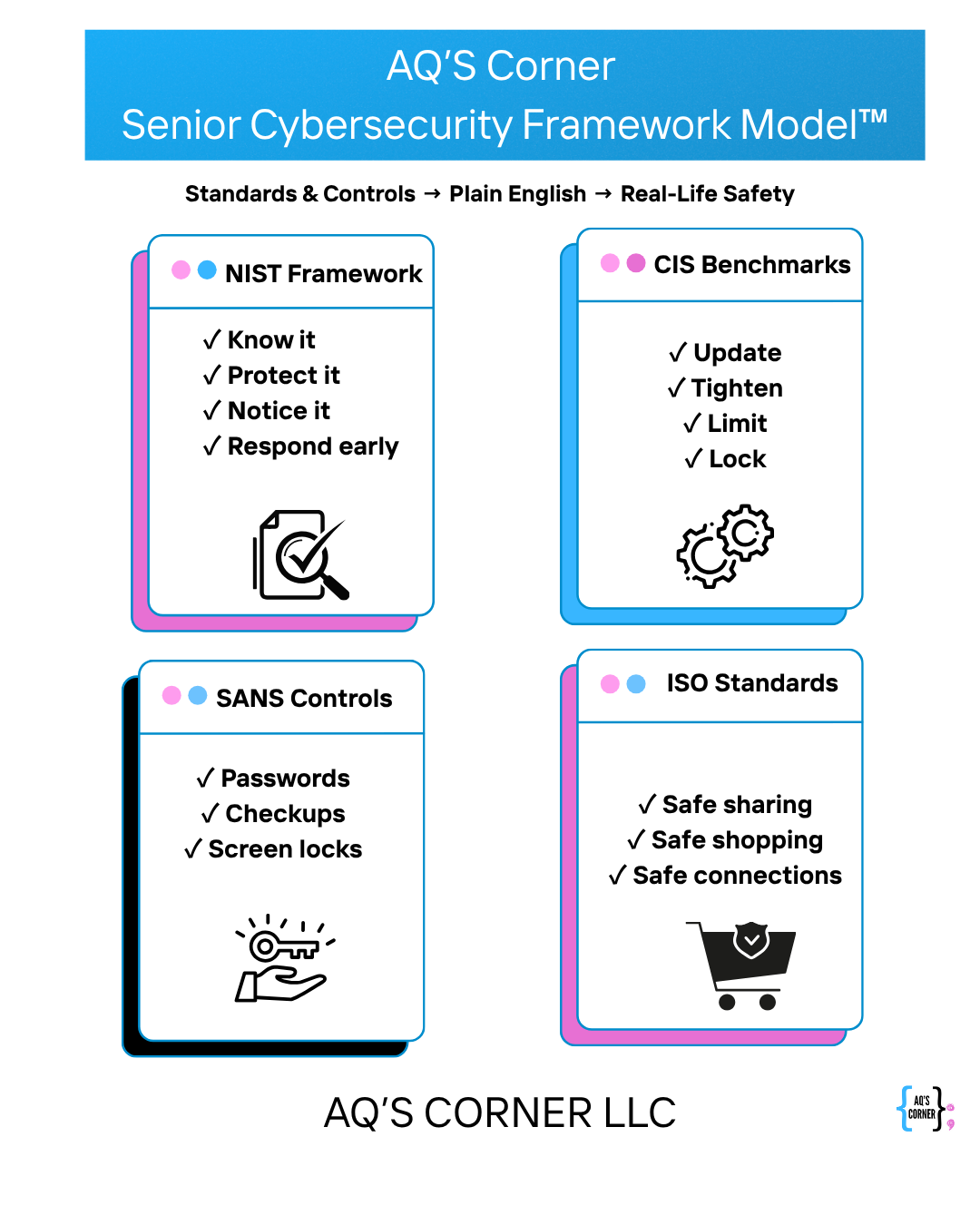
Below is the simplified senior-focused framework developed by AQ’S Corner to guide this entire series. This model blends national cybersecurity standards into clear, practical steps seniors can understand and use confidently. To explore the full framework, visit:
https://aqscorner.com/2025/11/20/aqs-corner-senior-cybersecurity-framework-model/
3 responses to “The Four Steps That Keep Seniors Safe Online: A Senior Guide to the NIST Framework”

  1. The Device Settings That Keep Seniors Protected: A Senior Guide to CIS Benchmarks” – AQ'S Corner Avatar

    […] The Four Steps That Keep Seniors Safe Online: A Senior Guide to the NIST Framework […]

    Like

  2. The Everyday Habits That Help Seniors Stay Safe: A Senior Guide to SANS Controls – AQ'S Corner Avatar

    […] The Four Steps That Keep Seniors Safe Online: A Senior Guide to the NIST Framework The Device Settings That Keep Seniors Protected: A Senior Guide to CIS Benchmarks” […]

    Like

  3. The Smart Online Choices Every Senior Should Know: A Senior Guide to ISO Standards – AQ'S Corner Avatar

    […] The Four Steps That Keep Seniors Safe Online: A Senior Guide to the NIST Framework The Device Settings That Keep Seniors Protected: A Senior Guide to CIS Benchmarks” The Everyday Habits That Help Seniors Stay Safe: A Senior Guide to SANS Controls […]

    Like

Leave a comment

I’m Aqueelah

Cybersecurity isn’t just my profession, it’s a passion I share with the most important person in my life: my daughter. As I grow in this ever-evolving field, I see it through both a professional lens and a mother’s eyes, understanding the critical need to protect our digital spaces for future generations.


Read about my mission to combat job scams

Scammers are targeting job seekers with increasing sophistication. I developed a Zero Trust-based framework: Project TRUSThire and submitted it to NIST to help protect digital hiring. Learn what this means for cybersecurity and community safety.

Read the Article

🎧 Listen to the CyberMom Plus One Podcast!

Disclaimer:

“I bring my background in cybersecurity and motherhood to everything I share, offering insights grounded in real experience and professional expertise. The information provided is for general educational purposes only and is not a substitute for personalized legal, technical, or consulting advice.
AQ’s Corner LLC and its affiliates assume no liability for actions or decisions taken based on this content. Please evaluate your own circumstances and consult a qualified professional before making decisions related to cybersecurity, compliance, or digital safety.”
.wp-block-site-title a { color: #3ABAEB !important; transition: color 0.3s ease; } .wp-block-site-title a:hover { color: #E967B8 !important; }