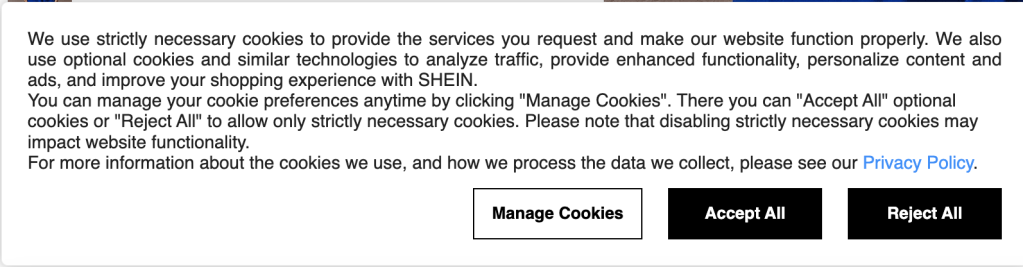
Photo credit: Screenshot from SHEIN Website.
That shirt you were looking at was mildly atrocious, and it popped up again while you were scrolling through another site. You’re on the phone with your friend on speaker scrolling through your phone and telling them how the internet is listening to your conversations, not even realizing that when the website popped up asking about accepting cookies you clicked, “Accept all”.
So… What Are Cookies, Anyway?
No, they’re not the gooey, chocolatey kind. In the internet world, cookies are small files that websites save to your device when you visit them. These little files help websites remember things about you; like your login info, language preferences, and whether you added a 12-pack of fuzzy socks to your shopping cart and never checked out.
Why Do Websites Use Cookies?
Cookies serve a bunch of purposes, and most of them are helpful (until they’re not). Here’s a quick rundown:
1. Essential Cookies
They make sure the website works (like remembering you’re logged in as you navigate from page to page).
2. Functional Cookies
These remember things like your preferred language, and dark mode setting.
3. Performance Cookies
They collect information about how you use a site (like what pages you visit most). This helps site owners improve their content, kind of like giving them clues on what works and what makes people scream and run away.
4. Marketing / Tracking Cookies
These cookies track you across websites. Oh, they know about that ugly shirt you looked at so now you are going to keep seeing ads for it.
You’re telling everyone you’re being watched. However, you’re not completely paranoid. That feeling that someone’s spying on you might be true. You might be imagining a guy in sunglasses behind a bush with binoculars, but in reality, it’s just a bunch of ad tech companies piecing together your browsing habits like digital detectives. You help them by handing them the tools to do it when you blindly click, “Accept All”. You’re yelling, track me, target me, and get me some shoes to match that ugly shirt I was looking at.
So, What Should You Do?
Next time you see that cookie pop-up, don’t just click “Accept All” out of habit. Take a moment to check if the site lets you “Customize Settings” or “Manage Your Cookies” giving you the ability to decide which cookies you want to accept and reject.
Here’s your game plan:
✅ Allow essential cookies – you need these for the site to work.
❌ Turn off marketing cookies – unless you love hyper-personalized ads.
🤷♀️ Decide on the rest based on what you’re comfortable with.






 AQ'S Corner
Leave a comment